
Turn the footage you have into a finished clip.
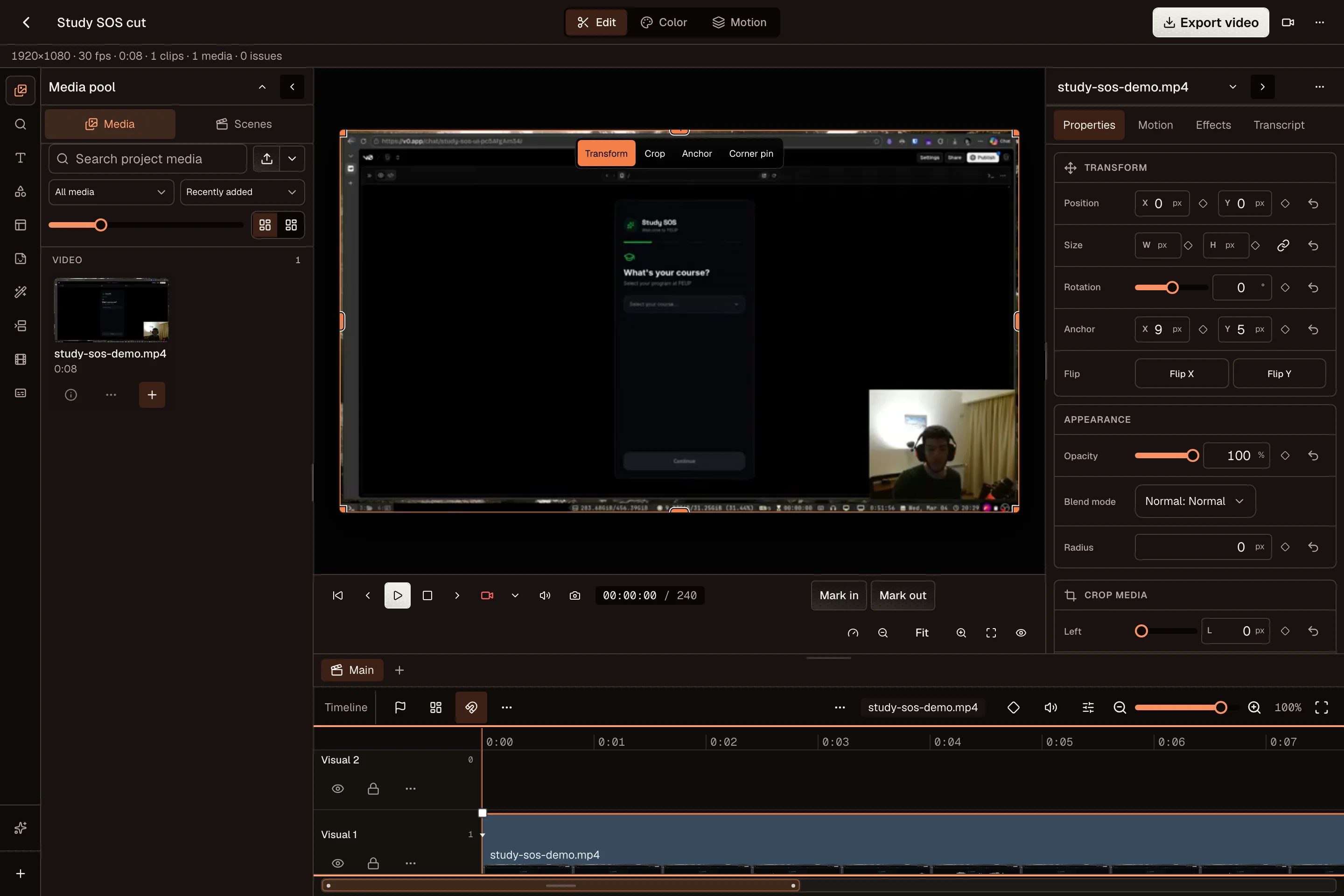
Trim the slow start, cut a mistake, add captions, and frame the video for a vertical screen. The desktop Video Editor keeps the footage and edits in one project.
Make a demo, show your process, or answer a customer on camera. Cut the footage and prepare your TikTok caption in the same place.
Start your free trial14 days free. $0 today. Card required.
Show the thing. Skip the long introduction.

From first shaping to final glaze. Here’s how this cup came together.
Trim the slow start, cut a mistake, add captions, and frame the video for a vertical screen. The desktop Video Editor keeps the footage and edits in one project.
Give the video context, name the product, or invite a specific question. Save your draft next to the clip so you can finish a batch without finding the files again.
Reuse the exported video for Reels or Shorts and adjust the title and caption for each. Check the preview and available posting options before scheduling.
TikTok supplies the available privacy choices for your connected account. Review them before publishing. Some accounts or posting connections may restrict a video to private visibility.
OpenPost includes these formats. Check the options available to your account before scheduling.
Yes. Start with one idea, select your accounts, then change the text and media for each channel. Your drafts and planned posts stay together in one calendar.
Explore the other channelsNo. OpenPost Cloud runs in your browser. You can also try the free image and video editors before creating an account. Full video editing works best in desktop Chrome or Edge.
Try the free tools